Website Traffic Dropped Suddenly: How to Diagnose and Fix It

Key Takeaways
- A sudden traffic drop almost always traces to one of four causes: an algorithm update, a technical/tracking bug, lost backlinks, or a manual action.
- Checking whether the drop is real (tracking still firing correctly) comes before diagnosing why it happened.
- Technical bugs recover fastest, days, once fixed, algorithm-related drops can take six to twelve weeks to recover even after the right fix.
- Google Search Console is the first stop for diagnosis, not a generic analytics dashboard.
- Panicking and making multiple simultaneous changes makes the real cause harder to isolate later.
Confirm the Drop Is Real Before Diagnosing It
Before chasing a cause, rule out a false alarm. Check whether the GA4 tracking tag is still firing correctly, confirm the drop shows in Search Console too (not just one analytics tool), and check if the timing lines up with a known seasonal pattern rather than something structural.
The Four Most Common Causes
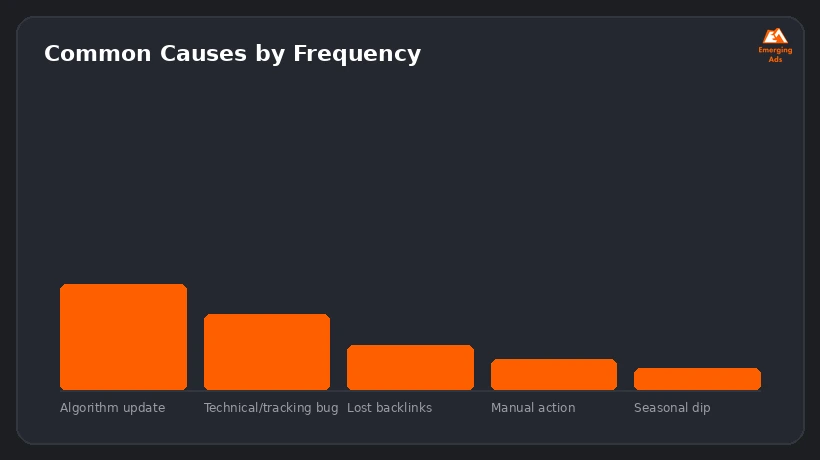
- A Google algorithm update that re-evaluated how your content or site is ranked
- A technical or tracking bug, an accidental noindex tag, a broken tracking script, or a robots.txt block
- Lost backlinks, a referring domain removed links or went down entirely
- A manual action penalty from Google for a policy violation
How to Diagnose Step by Step
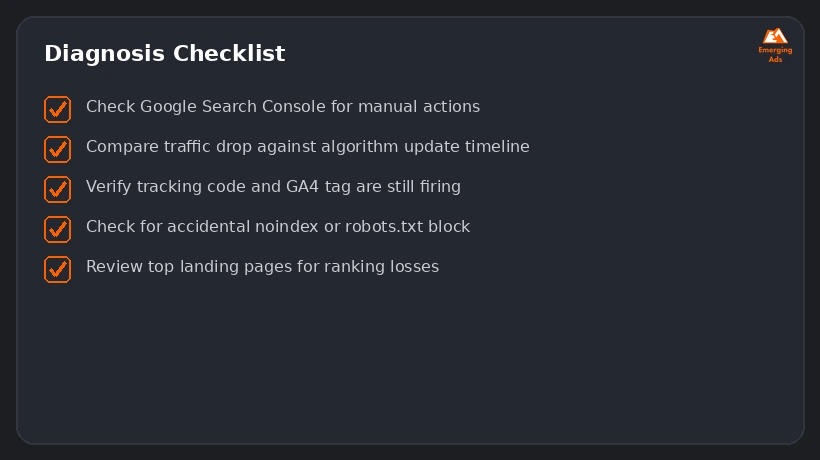
- Check Google Search Console’s Manual Actions report first, it rules in or out the most serious cause immediately
- Compare the drop’s timing against known algorithm update dates
- Verify the tracking code and GA4 tag are still firing correctly on the affected pages
- Check for an accidental noindex tag or a robots.txt block introduced in a recent site change
- Review your top landing pages individually for ranking position losses in Search Console
Fixing Each Cause
Algorithm Update
There’s no quick fix, the path is improving genuine content quality and relevance against what the update rewarded, then waiting for the next crawl and re-evaluation cycle.
Technical or Tracking Bug
Usually the fastest fix, remove the accidental noindex or robots.txt block, verify tracking is restored, and request reindexing through Search Console.
Lost Backlinks
Reach out to the referring site if the link was removed accidentally, or build replacement links from comparable sources if the domain is gone for good.
Manual Action
Fix the specific policy violation Search Console names, then file a reconsideration request, this is the slowest path to recovery.
What Recovery Timelines Actually Look Like
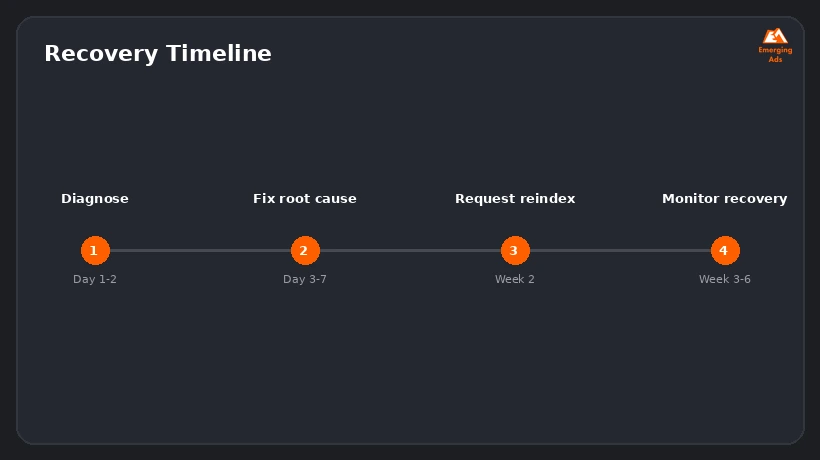
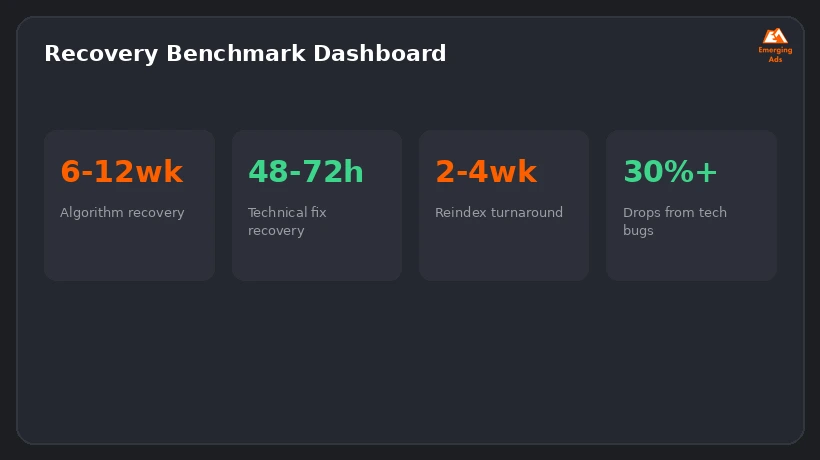
Technical fixes can show recovery within 48 to 72 hours once corrected and reindexed. Algorithm-related drops typically take six to twelve weeks to show meaningful recovery, even with the right changes made immediately. Setting that expectation early prevents a second round of panic-driven changes that muddy the real signal.
Want us to look at your account?
We’ll audit your setup and tell you exactly where the budget is leaking, free.
Get Your Free Ad AuditFrequently Asked Questions
How do I know if a traffic drop is from Google or a tracking issue?
Check whether the drop shows consistently in both Google Search Console and your analytics tool, if only one shows it, that points to a tracking or reporting bug rather than an actual ranking or traffic change.
How long does it take to recover from a Google algorithm update?
Commonly six to twelve weeks after making genuine quality improvements, recovery isn’t immediate even when the right changes are made.
What’s a manual action penalty?
A direct action taken by Google against a specific site for violating its webmaster guidelines, shown in Search Console’s Manual Actions report, and requiring a fix plus a reconsideration request to resolve.
Can a single lost backlink cause a major traffic drop?
Rarely on its own, but losing several high-authority links at once, especially to a page that relied heavily on them, can noticeably affect rankings.
Should I make multiple changes at once to try to fix a drop faster?
No, changing several things simultaneously makes it much harder to know which change actually caused any recovery, or whether something else made it worse.
Does a seasonal dip look the same as a real problem?
It can appear similar in raw numbers, but a seasonal dip should match a pattern from the same period in prior years and typically doesn’t show ranking position losses in Search Console.
What should I check first when traffic drops overnight?
Search Console’s Manual Actions report and your site’s crawl/index status, these rule out the most serious and most common technical causes fastest.
Can a site redesign cause a sudden traffic drop?
Yes, if redirects weren’t set up properly, URLs changed without mapping, or a noindex tag was accidentally left on from a staging environment.
Is it normal for traffic to fluctuate without any real cause for concern?
Some day-to-day and week-to-week fluctuation is normal, a genuine concern is a sustained drop that persists over multiple weeks or shows clear ranking losses in Search Console.
Should I hire an agency to diagnose a traffic drop, or can I do it myself?
A methodical checklist can identify most common causes without outside help, an agency adds value mainly for complex cases involving algorithm updates or manual actions that need deeper technical remediation.
Ready to fix what’s costing you conversions?
Book a free, no-pressure audit of your ad account or website.
Get Your Free Ad Audit