The short answer
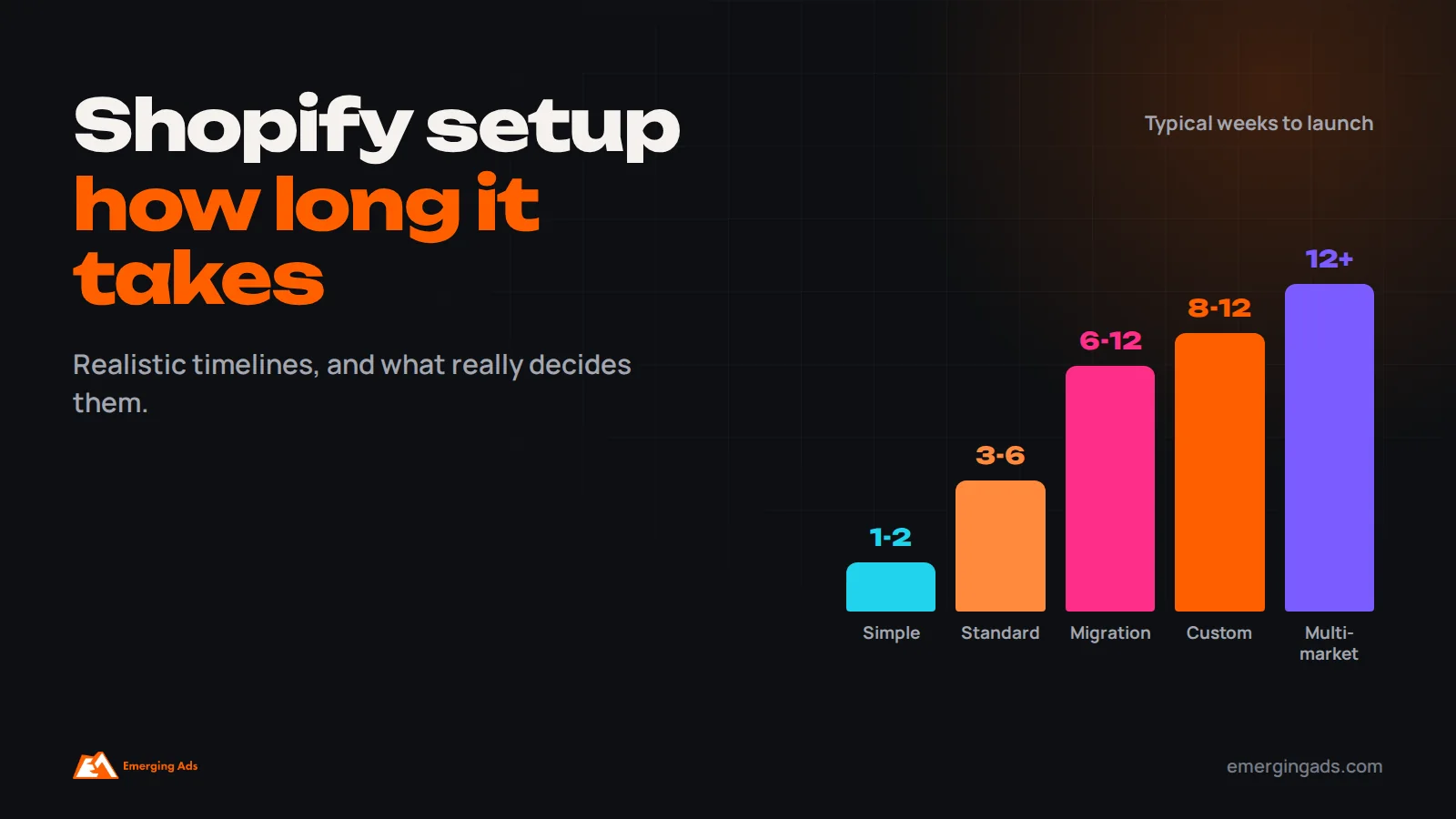
A simple Shopify store with a ready-made theme and a small catalog can be set up in about one to two weeks. A typical small business store with a customized theme, a few dozen to a few hundred products, payments, shipping, apps, tracking and SEO setup usually takes three to six weeks. A custom-designed store, a large catalog, several markets or a migration from another platform often takes eight to twelve weeks or more. The biggest causes of delay are not technical: product data, content, photography, approvals and payment verification usually decide the launch date.
“How long will it take to launch our Shopify store?” is one of the first questions we hear from founders and ecommerce managers. The honest answer is that Shopify itself can be set up in an afternoon. A store that is ready to sell, convert and scale takes longer, because it involves far more than the platform: product information, design, payments, shipping, legal pages, integrations, tracking and testing.
We set up and manage Shopify stores for brands in the UK, US, Gulf and India through our Shopify store setup service. This guide explains realistic timelines for different types of store, the phases involved, what causes delays, how migrations differ, and how to plan a launch date you can actually hit.
Typical timelines by type of store
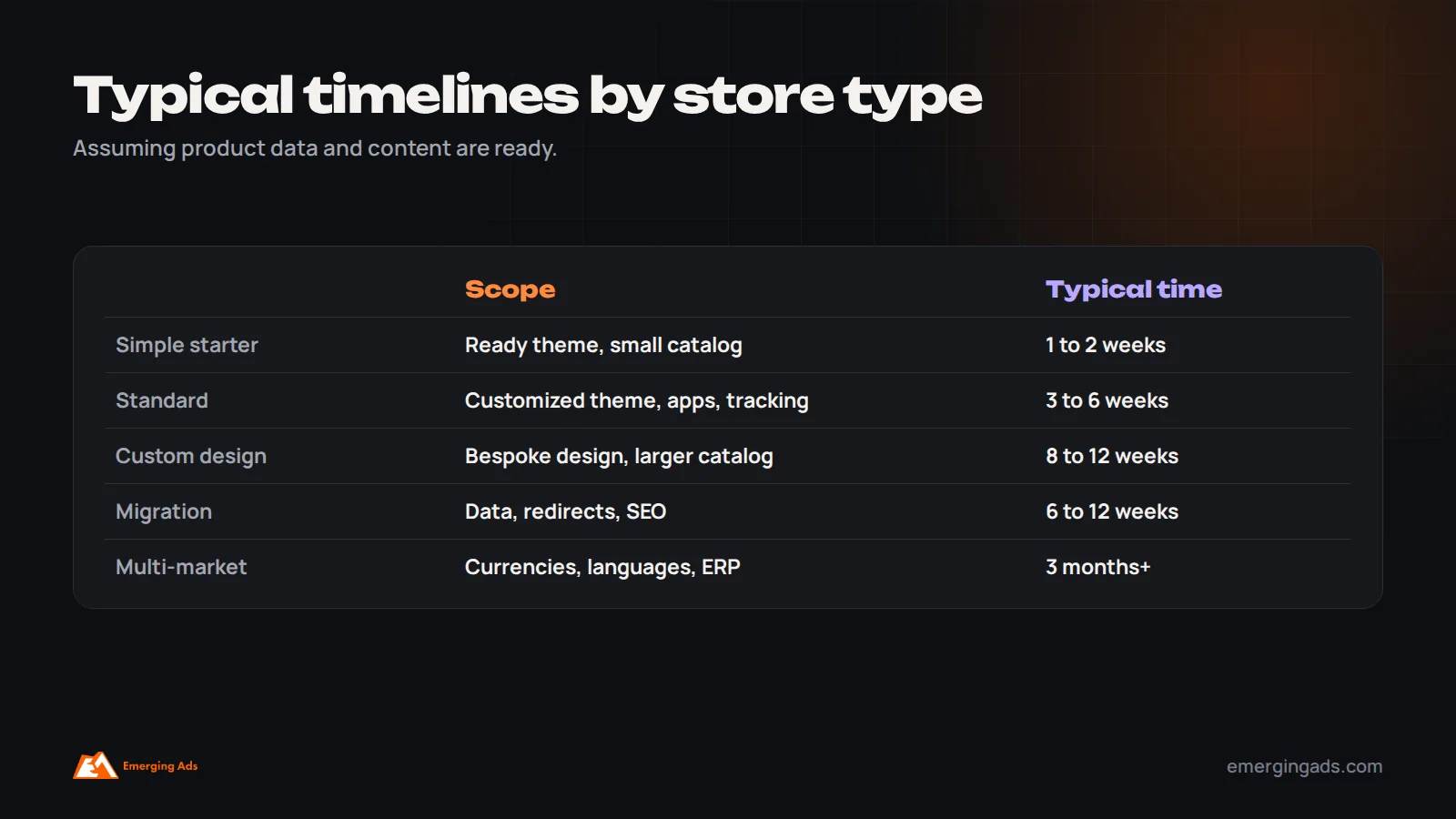
| Type of store | Typical scope | Typical timeline |
|---|---|---|
| Simple starter store | Ready-made theme, light customization, up to a few dozen products, standard apps | 1 to 2 weeks |
| Standard small business store | Customized theme, dozens to a few hundred products, payments, shipping, key apps, tracking, SEO setup | 3 to 6 weeks |
| Custom-designed store | Custom design, custom sections, larger catalog, advanced integrations | 8 to 12 weeks |
| Migration from another platform | Products, customers, orders, redirects, SEO preservation, integrations | 6 to 12 weeks |
| Multi-market or enterprise store | Several currencies, languages and markets, ERP or custom integrations, Shopify Plus | 3 months or more |
These are typical ranges, assuming product data, content and decisions are ready when needed. In practice, those inputs determine most of the timeline.
What actually determines the timeline
- Catalog size and complexity: number of products, variants, collections and the quality of existing product data.
- Design approach: a lightly customized theme is far faster than a custom design.
- Content readiness: product descriptions, photography, brand copy and policies.
- Integrations: email, reviews, subscriptions, ERP, inventory, shipping, CRM and marketplaces.
- Markets: multiple currencies, languages, taxes and shipping zones.
- Payments: provider setup and business verification, which can take days.
- Decision speed: how quickly designs, content and changes are approved.
- Migration: moving data and protecting SEO from an existing site.
The phases of a Shopify setup
1. Discovery and planning (days to a week)
Agree goals, target markets, product range, must-have features, integrations, design direction, budget and launch date. Choose the Shopify plan and decide which apps and services are needed. A clear plan here saves weeks later.
2. Store and plan setup (a day or two)
Create the store, choose the plan, set up the domain, store details, staff accounts and basic settings.
3. Theme selection and design (one to six weeks)
Choose a theme, then customize it with brand colors, fonts, layouts and sections. A ready-made theme with light customization may take days; a custom design with bespoke sections takes several weeks, including design approval rounds.
4. Products and collections (days to weeks)
Add products with titles, descriptions, images, variants, prices, inventory, SEO fields and metafields, then organize them into collections. Bulk import with a well-prepared spreadsheet is much faster than entering products one by one. This phase is often the longest for brands with large catalogs or incomplete product data.
5. Payments, shipping and taxes (days)
Set up payment providers, which may require business verification, configure shipping zones, rates and delivery promises, set tax settings for your markets, and test checkout.
6. Apps and integrations (days to weeks)
Install and configure apps for email and SMS, reviews, subscriptions, search, upsells, loyalty, shipping and customer service, and connect integrations such as accounting, inventory or ERP systems.
7. Content and legal pages (days)
Write or finalize the homepage, about page, FAQs, contact page, and legal pages such as privacy, terms, shipping and returns policies.
8. Tracking and marketing setup (days)
Set up Google Analytics 4, Google Ads conversion tracking, the Meta pixel and Conversions API, TikTok or other pixels, Google Merchant Center and the Meta catalog, and consent management where required. Our guides to Meta pixel tracking setup and Meta ads for ecommerce explain why this matters before launch.
9. SEO setup (days)
Set titles and descriptions, clean URL handles, image alt text, collection content, structured data, sitemap submission and, for migrations, redirects. Our technical SEO checklist covers the essentials.
10. Testing (several days)
Test on mobile and desktop, place real test orders with each payment method, check emails and notifications, review page speed, check tracking events, and fix issues.
11. Launch and post-launch (ongoing)
Remove the password, announce the launch, and monitor orders, tracking, speed and errors closely in the first weeks.
Choosing the right Shopify plan
Shopify offers several plans, from entry-level plans for new stores to Shopify Plus for high-volume and enterprise brands. The right plan depends on sales volume, number of staff accounts, reporting needs, international selling and whether you need advanced features such as checkout customization or automation tools available on higher tiers. For most new small businesses, a standard plan is enough at launch, and upgrading later is straightforward. Choosing the plan early matters mainly for timeline because some features, payment options and integrations depend on it. Check Shopify’s current plan comparison before deciding, since features and pricing change.
Choosing a theme without slowing the project
Theme choice has a large effect on timeline. A theme designed for your type of catalog, whether a small range of hero products, a large fashion catalog or a store with complex variants, needs far less customization than one built for something else. Before choosing, list your key requirements: filtering, product page layouts, mega menus, multiple languages, subscriptions, bundles, size guides and so on. Test shortlisted themes with your own products and on mobile. Look for themes that are fast, well-supported and regularly updated. A good theme choice can save weeks; a poor one creates a long list of workarounds.
Choosing apps carefully
The Shopify App Store makes it easy to add features, and equally easy to slow the store down. Each app can add scripts, settings and costs. Install only apps you need for launch, prefer well-reviewed apps with good support, check whether theme features or Shopify’s native tools already cover the need, and test page speed after installing each one. A focused app stack is faster to configure, cheaper to run and easier to maintain.
Preparing product data the right way
Product data is usually the single biggest factor in setup time. Before the build starts, prepare a spreadsheet with every product’s title, description, product type, vendor, tags, variants (such as size and color), SKU, barcode, price, compare-at price, weight, inventory quantity and image filenames. Write descriptions that answer customer questions, not just repeat supplier text. Name image files clearly and make sure they are high quality and consistent. Decide your collection structure in advance. With this ready, products can be imported in bulk and checked quickly; without it, the project waits for information while the launch date slips.
Selling in several markets
If you plan to sell in several countries, Shopify Markets lets you manage currencies, languages, domains and pricing by market from one store. Each market adds setup work: translated content, localized prices, shipping zones and rates, tax settings and payment methods that customers in that market expect. For stores selling into the Gulf or India, local payment options, cash on delivery policies and delivery expectations are particularly important. Launch first in your main market if time is tight, then add markets one at a time.
What your team needs to provide
Even when an agency builds the store, your team supplies essential inputs: product data and images, brand guidelines, copy approvals, policies, shipping rates and rules, payment provider details and business verification documents, and decisions on design and features. Assign one person to own these inputs and approvals. Projects with a clear internal owner typically finish weeks faster than those where decisions are spread across several busy people.
DIY setup vs hiring an agency
Many founders set up their first Shopify store themselves, and for a simple store with a small catalog that is a sensible choice. Shopify’s setup guides, themes and apps make it possible to launch without technical skills. The tradeoff is time: a founder learning as they go may take several weeks of evenings to finish what an experienced team completes in days, and common details, such as tracking, SEO settings, shipping rules and policies, are easy to miss.
Hiring an agency or experienced freelancer makes most sense when the store needs custom design, a large catalog, several markets, complex integrations or a migration, or when the launch date is tight. A good partner brings a tested process, avoids common mistakes and sets up marketing foundations so the store can sell from the first day. A hybrid approach also works: an agency builds the store and trains your team, who then manage products and content day to day.
An example timeline for a standard store
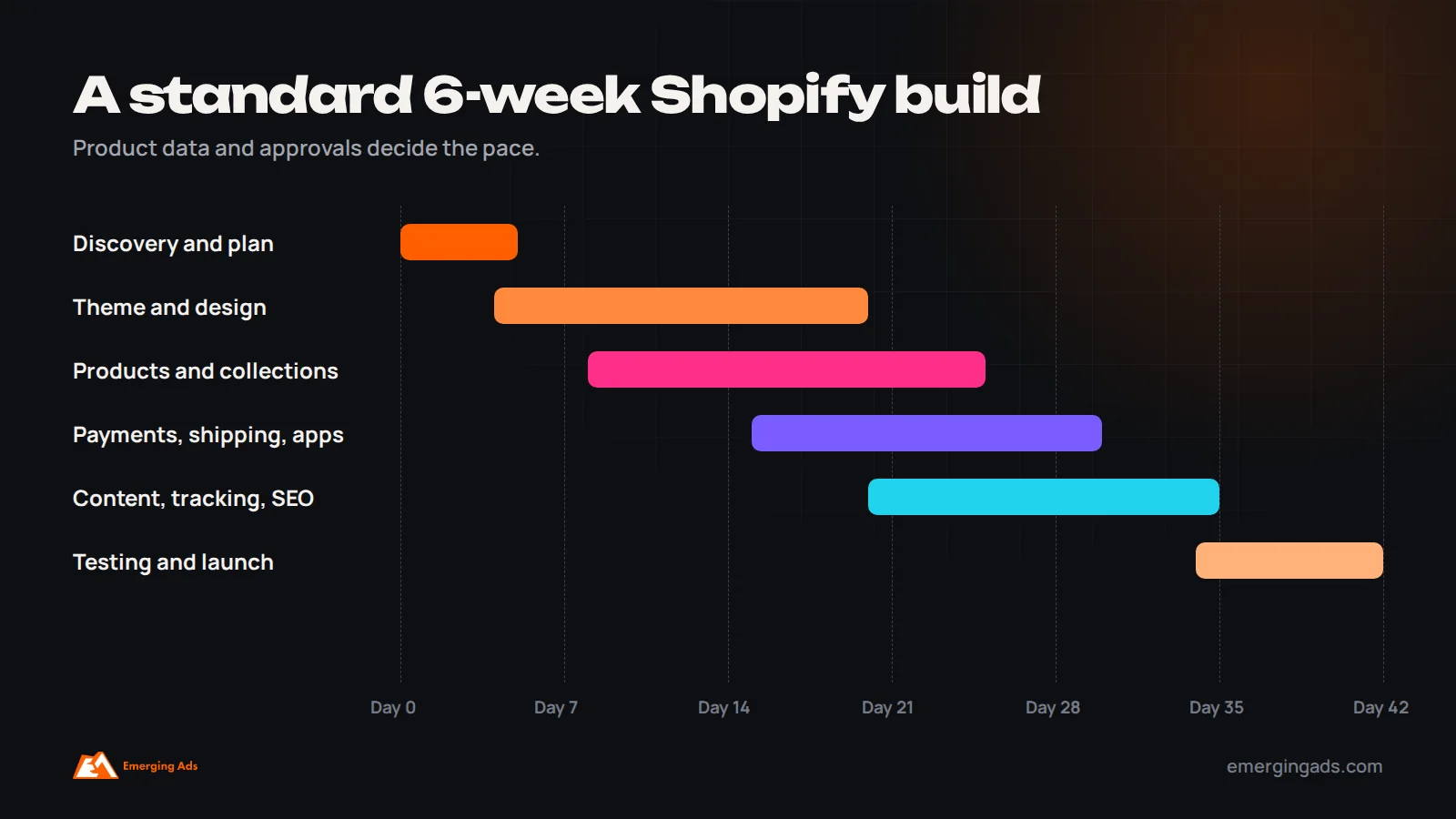
Imagine a skincare brand launching with 40 products, a customized theme, payments, shipping to two countries, an email platform, reviews and full tracking. In week one, the team agrees scope, chooses the plan and theme, starts payment verification and receives the product spreadsheet and photography. In week two, the theme is customized with brand styling, the homepage and key templates are designed and approved. In week three, products and collections are imported and checked, and shipping and tax settings are configured. In week four, apps are installed, policies and content pages are added, and tracking for analytics, Google Ads and Meta is set up. In week five, the team tests on mobile and desktop, places real orders with each payment method and fixes issues. In week six, the store launches, followed by close monitoring and the first email flows going live.
If the product data or photography arrives late, every later step shifts with it, which is why preparation matters so much.
Building for speed from the start
A fast store converts better and ranks better. Speed is easier to build in than to fix later. Choose a lightweight, well-coded theme, compress and correctly size images before upload, limit apps and remove unused ones, avoid heavy animations and autoplay videos above the fold, and test speed on a real mid-range phone before launch. Check Core Web Vitals in PageSpeed Insights and, after launch, in Search Console. Our guide to conversion rate optimization explains why speed and clarity matter for every visitor you pay to bring in.
A pre-launch checklist
- All products imported with correct prices, variants, inventory, images and descriptions.
- Collections, navigation and search working as expected.
- Payment methods tested with real orders, including refunds.
- Shipping zones, rates and delivery promises correct for every market.
- Taxes configured for your markets.
- Policies and legal pages published and linked in the footer.
- Order confirmation and shipping emails branded and tested.
- Analytics, ad pixels, server-side tracking and product feeds verified with test orders.
- SEO titles, descriptions, alt text and redirects in place.
- Cookie consent configured where required.
- Mobile experience and page speed checked on real devices.
- Customer service contact methods working.
How timeline affects cost
Timeline and cost are closely linked. Longer projects usually mean more design, development and project management time, while delays caused by missing inputs can add cost without adding value. The best way to control both is to prepare inputs early, agree scope before work starts, and resist adding new features mid-project. Treat extra features as a second phase after launch, when you have real customer data to decide what is worth building.
Product photography and visual content
Photography is one of the most common reasons Shopify launches slip, and one of the biggest influences on conversion. Plan it early. Decide which shots each product needs, such as a clean main image on a plain background, detail shots, scale or on-model images, lifestyle images and, where useful, short videos. Keep lighting, background and framing consistent across the catalog so collection pages look professional. Book the shoot well before the build reaches the product stage, and allow time for editing and reshoots. If time is tight, launch with strong main images for every product and add lifestyle images and video in the weeks after launch.
Writing product descriptions and key pages
Product descriptions and key pages often take longer than expected because they need input from people who know the products and the brand. Good descriptions answer the questions customers ask before buying: what it is, who it is for, what it is made of, how it fits or works, how to care for it, and what makes it different. They use clear headings or short sections so they are easy to scan on mobile. Supplier descriptions copied word for word add little and can create duplicate content across many stores. Start writing early, use a consistent template for all products, and have one person review for accuracy and tone.
Wholesale and B2B features
Some brands sell to trade customers as well as consumers. Wholesale pricing, minimum order quantities, trade accounts, net payment terms and separate catalogs add setup work and may require specific apps or higher Shopify plans with B2B features. Plan these requirements at the start, because they affect theme choice, app selection and how products and customers are structured. Launching consumer sales first and adding wholesale as a second phase is often the fastest route.
Training your team before launch
A store is only as good as the team running it after launch. Before going live, make sure the people who will manage the store know how to add and edit products, update collections and homepage sections, process orders, refunds and returns, manage discounts and gift cards, update policies, and read basic reports. Short recorded walkthroughs of common tasks save time later and reduce dependence on whoever built the store.
Consider a phased launch
When time is tight, a phased launch often beats waiting for everything to be perfect. Phase one launches a solid store with your core products, essential pages, reliable payments and shipping, accurate tracking and the most important email flows. Phase two, a few weeks later, adds extras such as additional markets, advanced filtering, loyalty programs, subscriptions, extra content and design refinements. This approach gets you selling sooner, generates real customer data to guide later decisions, and reduces the risk of a long project that keeps slipping. Agree the phase one scope in writing at the start, and protect it from additions.
Being marketing-ready on day one
A store that launches without marketing foundations wastes its first weeks. Before going live, make sure Google Merchant Center and the Meta catalog are connected and approved, so Shopping and catalog ads can run. Confirm that purchase tracking works in Google Ads, Meta and analytics with real test orders. Build a signup form with a clear offer and a welcome flow to capture early visitors. Prepare launch emails and social posts. And have a small paid media plan ready to bring traffic, with creative and audiences prepared in advance. Launching marketing-ready means the first weeks generate both sales and the data you need to improve.
Planning for life after launch
A Shopify store needs ongoing care: product updates, seasonal homepage changes, app and theme updates, speed checks, tracking checks after changes, new content and regular conversion improvements. Budget time or support for this from the start, rather than treating launch as the end of the project. Stores that are actively managed and improved each month usually outperform stores that are built once and left alone.
What causes delays
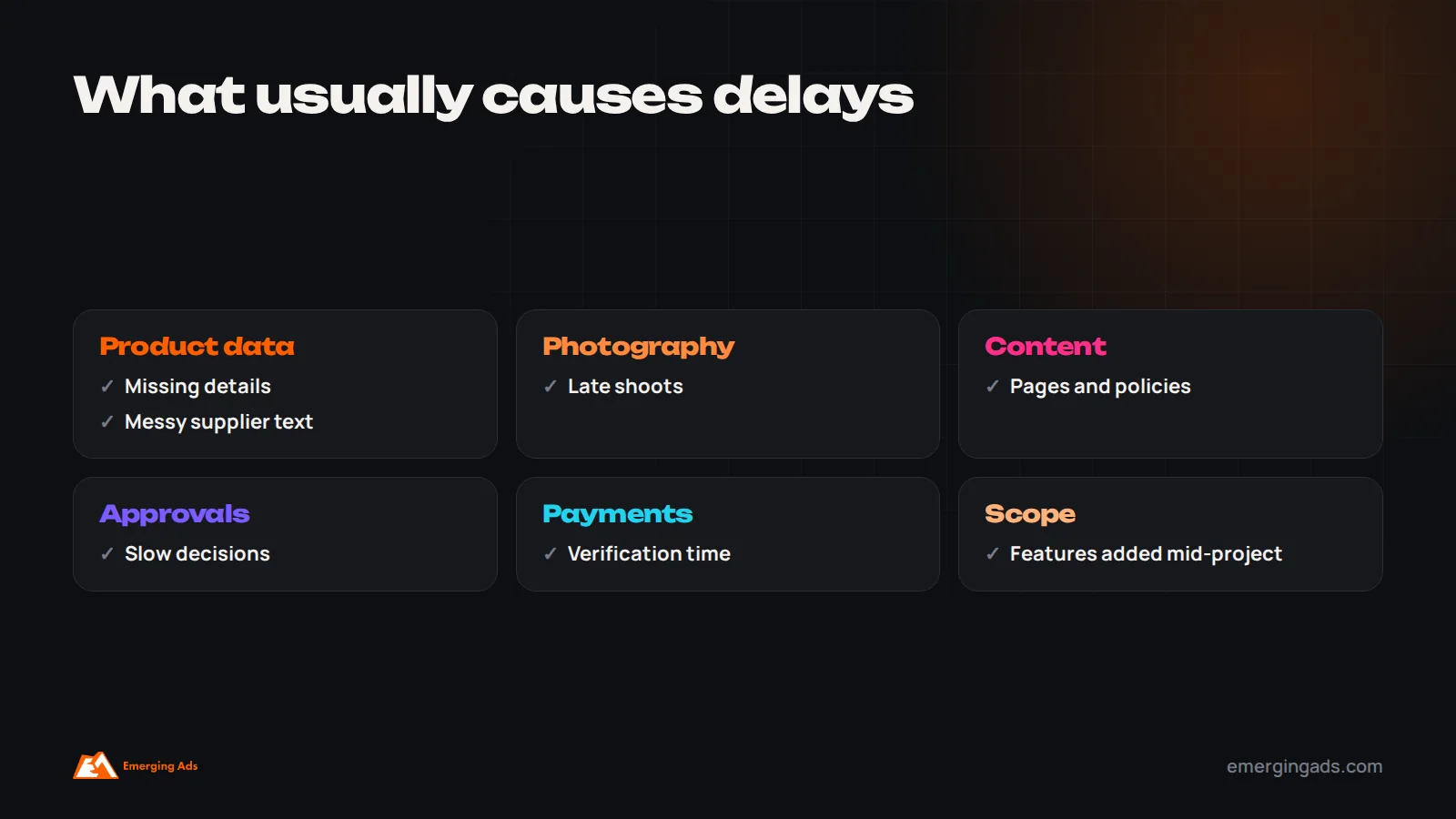
In our experience, most late launches come from a small number of predictable causes, almost none of them technical.
- Product data not ready: missing descriptions, images, weights, SKUs or prices.
- Photography: new product photos that are scheduled late or need reshoots.
- Content and policies waiting on internal input or legal review.
- Slow approvals of designs and changes.
- Payment provider verification taking longer than expected.
- Scope creep: new features added mid-project.
- Complex integrations with older systems.
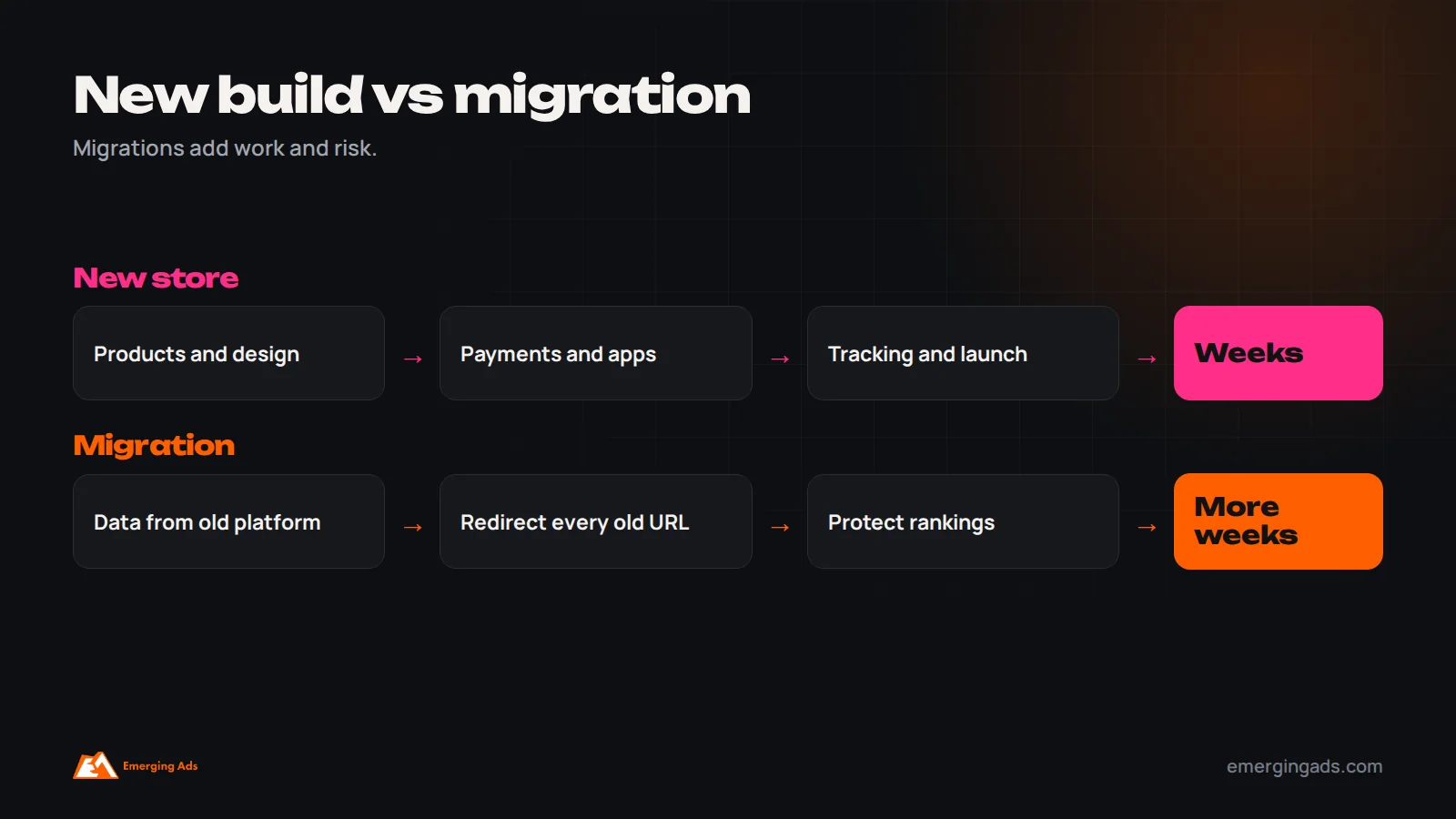
- Migration issues, such as messy data or missing redirects.
Most delays can be avoided by preparing product data and content early, agreeing scope before design starts, and assigning one person on your side to approve decisions quickly.
Why migrations take longer
Moving from WooCommerce, Magento, BigCommerce, Wix or another platform to Shopify involves more than building a new store. You need to migrate products, customers and often order history; map old URLs to new ones with 301 redirects to protect search rankings; recreate content, collections and filters; rebuild integrations; reconnect tracking; and check that customer accounts and passwords are handled correctly. Search visibility is the biggest risk. Migrations that skip redirects or drop content often lose organic traffic for months. Our guide on diagnosing a sudden traffic drop explains what goes wrong after poorly planned migrations.
How to speed up your Shopify setup
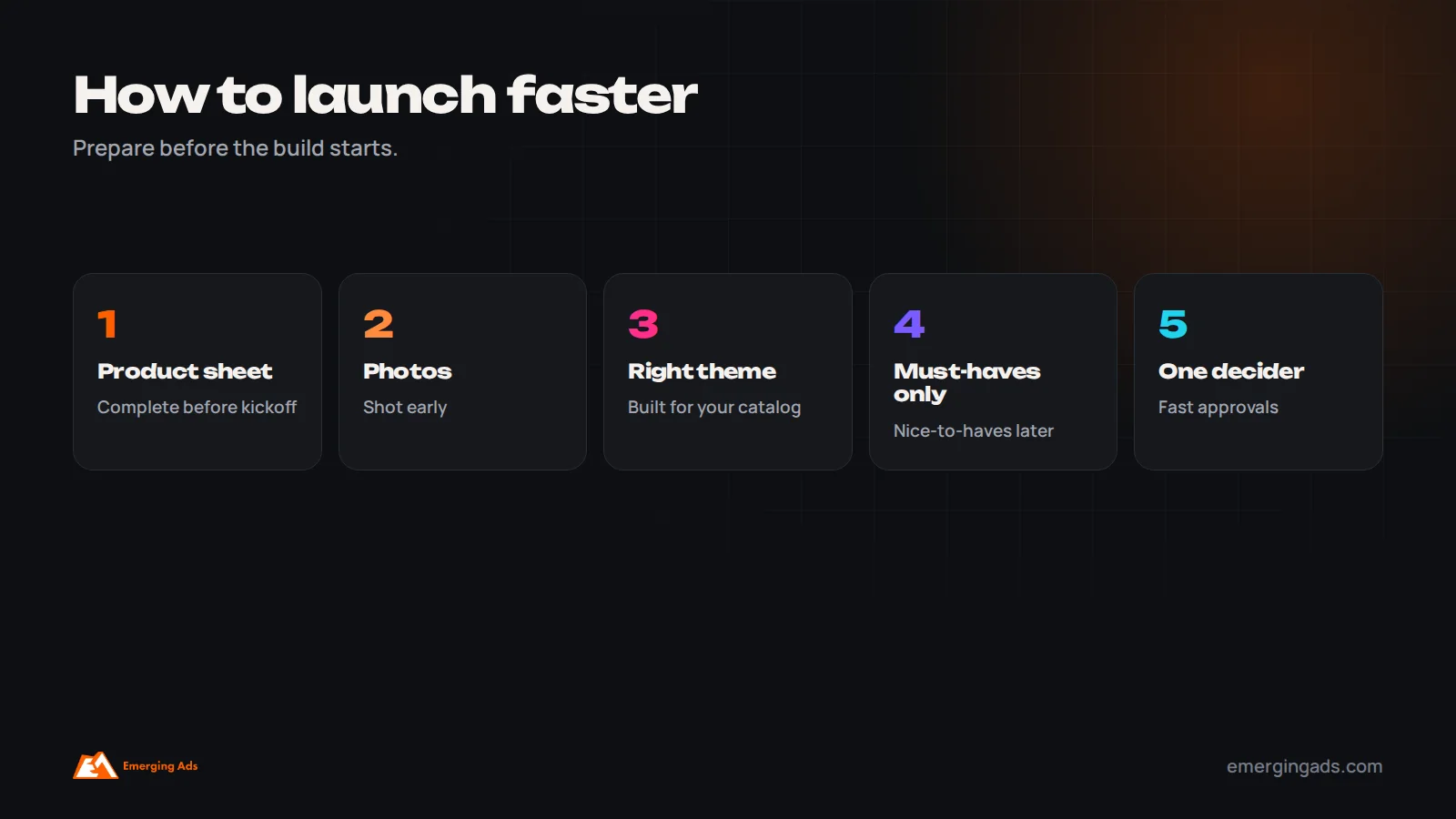
- Prepare a complete product spreadsheet before the project starts.
- Finish product photography early.
- Choose a well-built theme close to your desired design rather than starting from scratch.
- Agree must-have features for launch, and save nice-to-haves for later.
- Start payment provider setup and verification immediately.
- Draft policies and key pages in parallel with design.
- Assign one decision-maker with authority to approve work quickly.
- Plan tracking and marketing setup alongside the build, not after launch.
Setting a realistic launch date
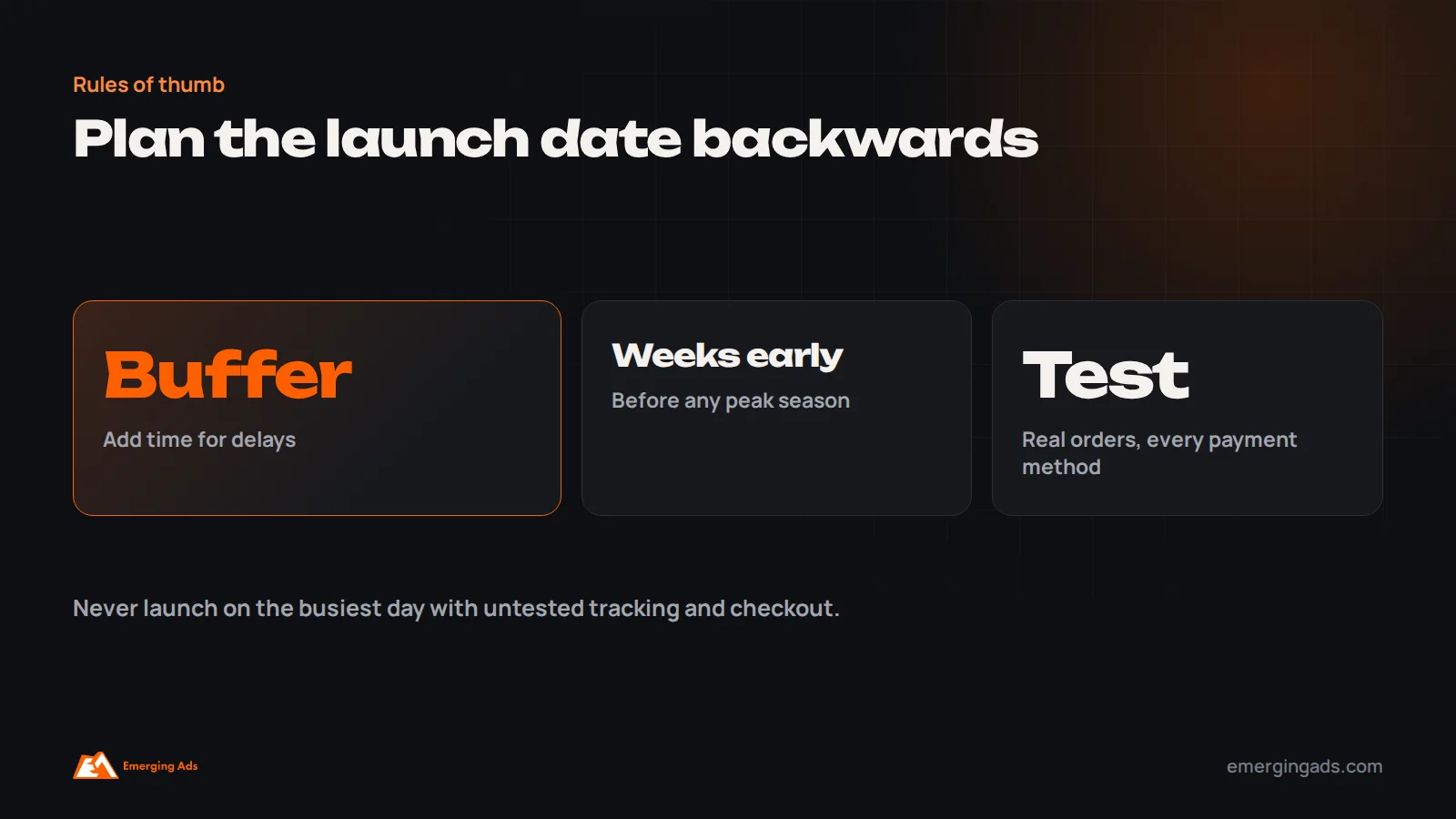
Work backwards from the date you need, and build in buffer. If you plan to launch before a peak such as Black Friday, Christmas, Ramadan or a product launch, aim to go live several weeks early so you have time to fix issues, collect data and warm up marketing before demand peaks. Launching on the busiest day of the year with untested tracking and checkout is a common and expensive mistake. Our Black Friday checklist explains why.
The first weeks after launch
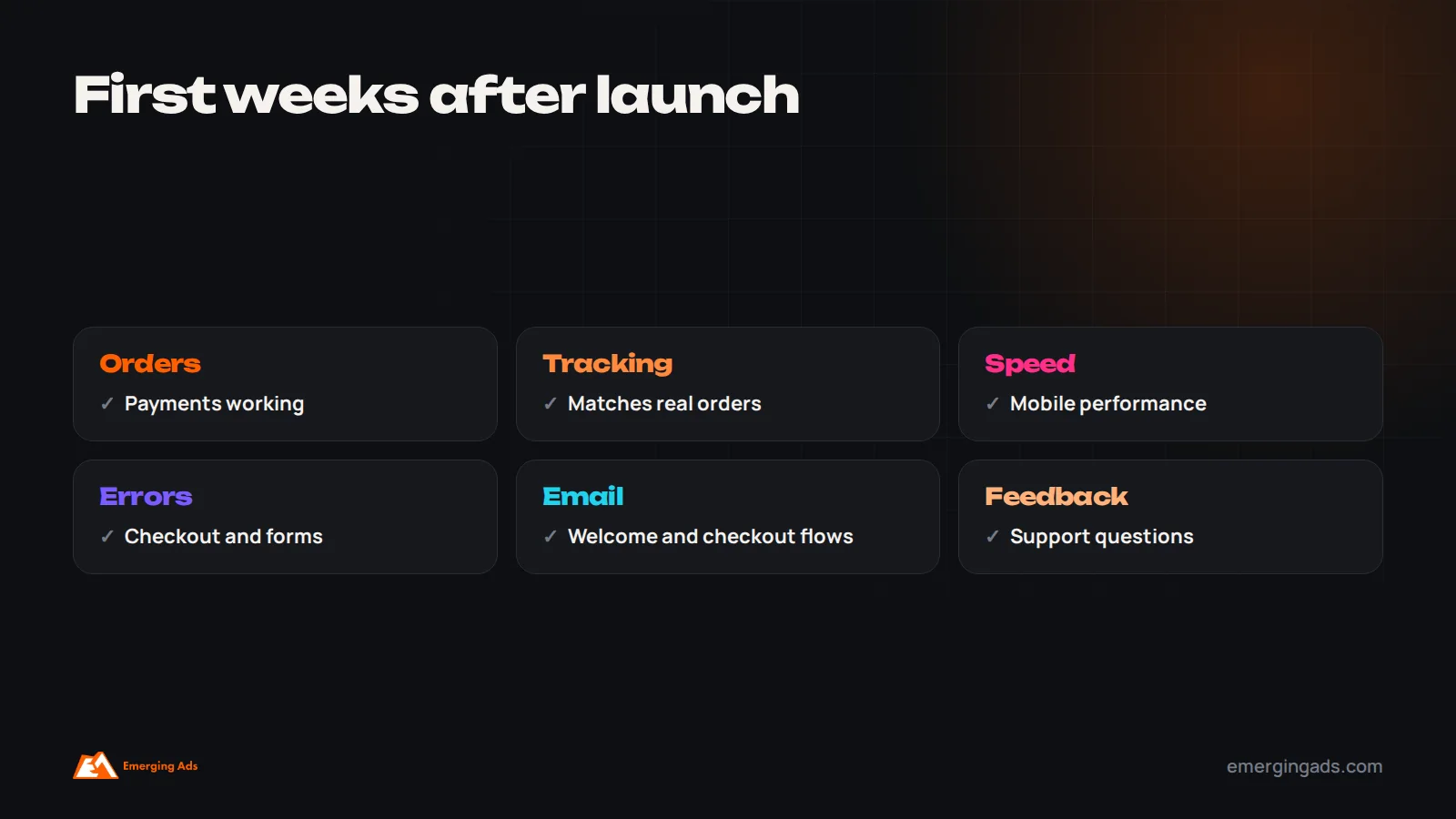
Launch is the start, not the end. In the first weeks, watch orders and payments closely, check that tracking matches real orders, monitor speed and errors, review customer feedback and support questions, and fix small issues quickly. Set up the core email flows, such as welcome and abandoned checkout, if they are not already running. Our guide to ecommerce email flows covers the essentials. Ongoing store management, updates and improvements are covered in our guide to Shopify website management.
Common mistakes
These are the patterns we see most often in Shopify projects that run late or launch with problems. Avoiding them is usually simpler than fixing them afterwards.
- Starting the build before product data and content are ready.
- Choosing a theme that does not suit the catalog, then customizing heavily.
- Installing too many apps, which slows the store.
- Leaving tracking and marketing setup until after launch.
- Skipping redirects during migration.
- Not testing real orders with every payment method.
- Launching right before a peak season with no buffer.
Frequently asked questions
How long does it take to set up a Shopify store?
A simple store can be ready in one to two weeks, a typical small business store in three to six weeks, and a custom-designed store or migration in eight to twelve weeks or more, depending on catalog, design and content readiness.
Can I set up a Shopify store in a day?
You can create a basic store in a day, but a store ready to sell, with products, payments, shipping, policies, tracking and testing, usually takes longer.
What slows down a Shopify launch the most?
Product data, photography, content, approvals and payment verification usually cause more delay than the technical build.
How long does a Shopify migration take?
Typically six to twelve weeks, depending on catalog size, data quality, integrations and the work needed to protect SEO with redirects.
Should I use a ready-made theme or custom design?
A well-chosen ready-made theme with customization is faster and suits most small businesses. Custom design makes sense when brand experience or specific functionality justifies the extra time and cost.
When should tracking be set up?
Before launch. Analytics, ad pixels, server-side tracking and product feeds should be tested with real orders so marketing works from day one.
How early should I launch before a peak season?
Several weeks early, so you can fix issues, gather data and warm up marketing before demand peaks.
Do I need a developer to set up Shopify?
Not for a simple store. Custom design, complex integrations, migrations and advanced features usually benefit from experienced developers.