
How to Lower Your Google Ads CPA Without Cutting Budget
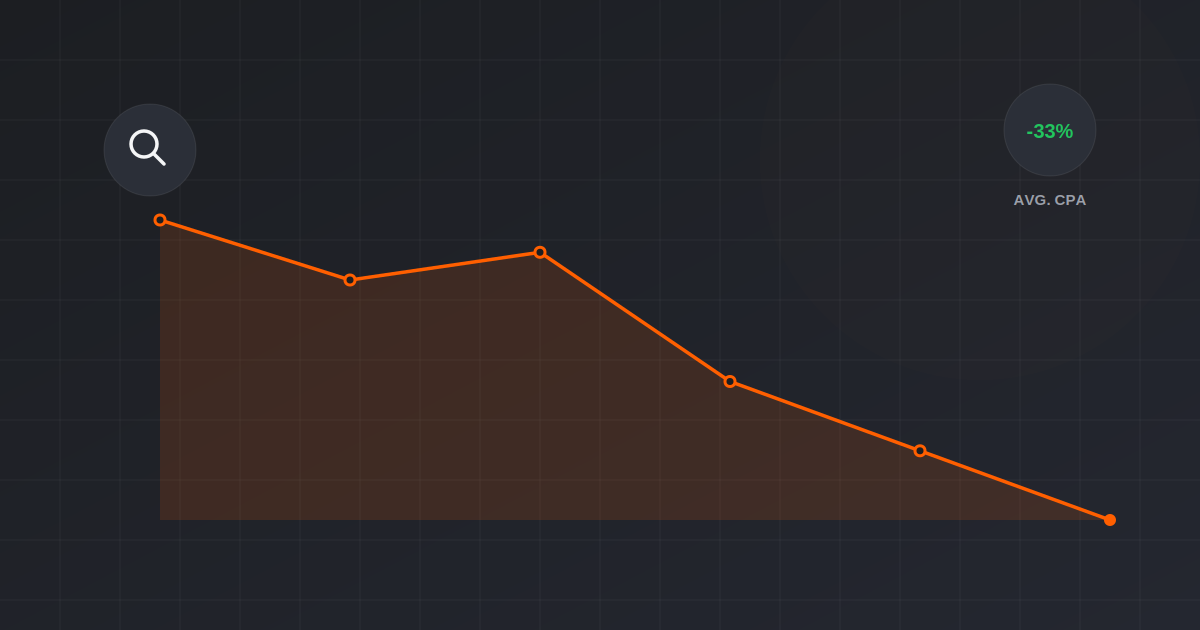
The instinct when CPA climbs is to cut budget, and it’s usually the wrong move. Cutting budget shrinks the algorithm’s data volume, which makes optimization worse, not better, and you end up with a smaller account that’s still inefficient. Lower CPA almost always comes from fixing the structure underneath the campaign, not from spending less.
This is the order we actually work through when a client’s Google Ads CPA has crept up: five fixes, ranked by how much impact they typically have, starting with the one most accounts get wrong first.
- Search term reports reveal wasted spend most owners never look at. This is almost always fix #1.
- Broad match without a tight negative keyword list is the single most common cause of inflated CPA.
- Smart Bidding needs 30+ conversions in a rolling 30-day window before it can actually optimize well.
- A weak landing page caps campaign performance no matter how good the targeting is underneath it.
- Cutting budget to “save money” usually raises CPA further by starving the algorithm of data.
- Why Lowering CPA Isn’t a Budget Problem
- Fix #1: Kill the Keywords Quietly Bleeding Spend
- Fix #2: Tighten Match Types Before Touching Bids
- Fix #3: Rebuild Ad Groups Around Single Intent
- Fix #4: Fix the Landing Page Before Blaming the Campaign
- Fix #5: Give Smart Bidding Enough Data to Work
- How Long Before CPA Actually Drops
Why Lowering CPA Isn’t a Budget Problem
CPA and budget are related, but not the way most people assume. A bigger budget spent on the same broken structure just produces more expensive conversions faster. A smaller budget on that same broken structure produces fewer, still-expensive conversions, plus a slower-learning algorithm. Neither direction fixes the actual problem.
The accounts we take over with high CPA almost always have the same root causes: wasted spend on irrelevant search terms, ad groups trying to serve too many different search intents at once, and landing pages that lose visitors the ads already paid to bring in. Fix those, and CPA drops regardless of budget level.
Fix #1: Kill the Keywords Quietly Bleeding Spend
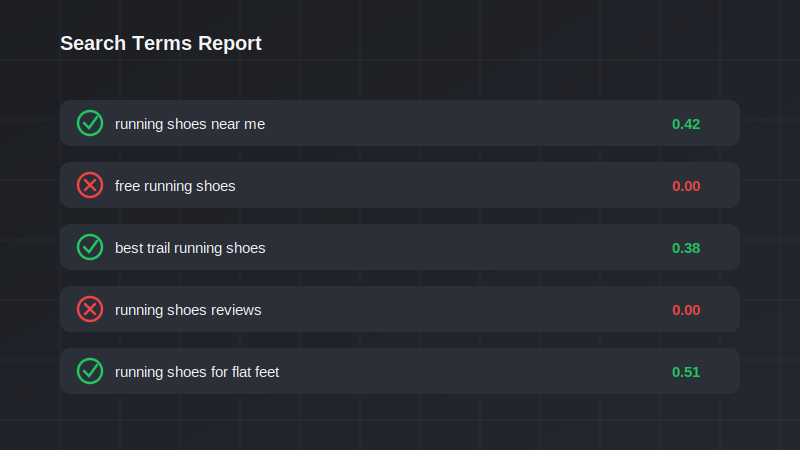
Pull the Search Terms report and sort by cost. In almost every account we’ve audited, 15 to 30% of spend goes to search terms that were never explicitly targeted, triggered instead by broad or phrase match casting too wide a net. Add these as negative keywords at the ad group or campaign level, not just the exact phrase, the pattern behind it.
Do this weekly for the first month on any account with CPA problems, then monthly once the list stabilizes. This alone is often the single biggest CPA lever available, and it costs nothing to implement.
Fix #2: Tighten Match Types Before Touching Bids
Broad match paired with Smart Bidding can work well, but only once the negative keyword list from Fix #1 is solid and the account has enough conversion history for the algorithm to have real signal. Before that point, broad match without guardrails is how budget leaks fastest.
For newer accounts or ones still recovering from high CPA, we typically shift core, proven keywords to phrase match, keeping tighter control over what triggers spend, and reserve broad match for a smaller test budget layered on top once performance stabilizes.
Fix #3: Rebuild Ad Groups Around Single Intent
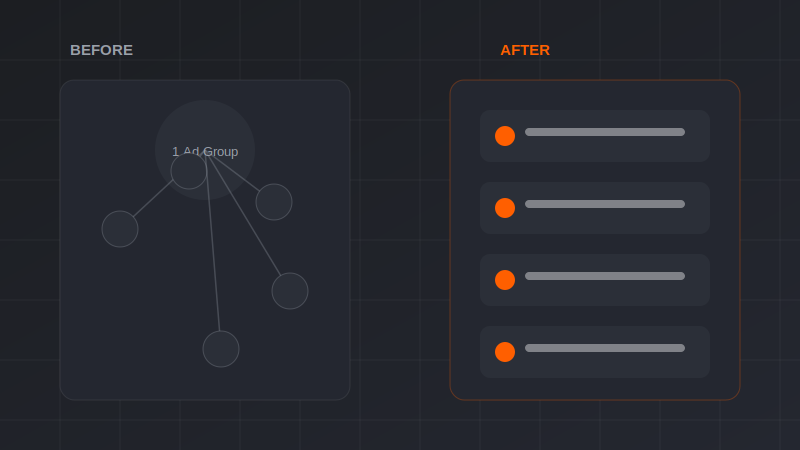
An ad group targeting “running shoes,” “trail running shoes,” and “running shoes for flat feet” together forces one ad to try to serve three different search intents. Quality Score suffers, CPCs rise, and conversion rate drops because the ad and landing page can’t be specific enough to any one of them.
Splitting into single-intent ad groups, each with its own tightly matched keywords and its own ad copy that speaks directly to that specific search, typically lifts Quality Score and lowers CPC on the same keywords within two to three weeks.
Fix #4: Fix the Landing Page Before Blaming the Campaign
We regularly see campaigns with strong CTR and reasonable CPC get blamed for high CPA when the real problem is a landing page that takes visitors somewhere generic, a homepage, a broad category page, instead of a page built specifically around what the ad promised.
A dedicated landing page matching the ad’s specific offer, with a single clear call to action, routinely lifts conversion rate by 20% or more compared to sending the same traffic to a general page, without changing a single thing about the campaign itself.
Fix #5: Give Smart Bidding Enough Data to Work
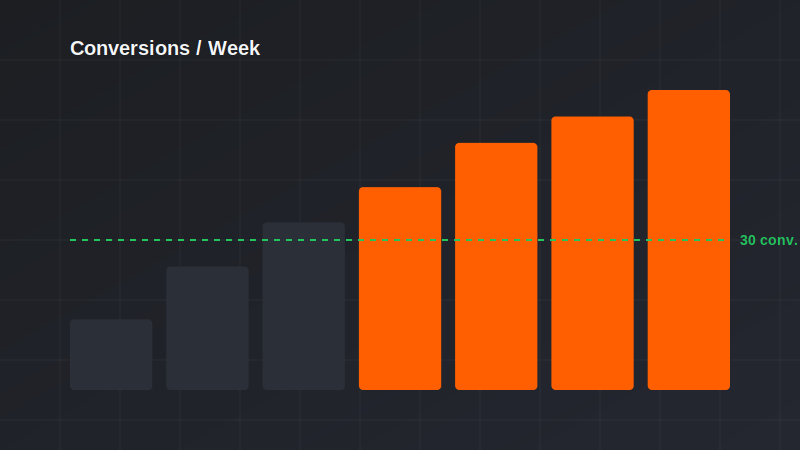
Target CPA and Maximize Conversions bidding need roughly 30 conversions in a trailing 30-day window to optimize reliably. Below that threshold, Smart Bidding is essentially guessing, and CPA volatility is the visible result.
If your account isn’t hitting that volume, either widen the conversion action being optimized for (counting high-intent micro-conversions alongside purchases, for example) or switch to manual or enhanced CPC bidding until volume catches up. Fighting the algorithm with too little data usually makes CPA worse, not better.
How Long Before CPA Actually Drops
Negative keyword cleanup shows impact within days. Ad group restructuring and landing page changes typically take two to three weeks to fully reflect in Quality Score and conversion rate. Smart Bidding needs a full 30-day cycle to re-stabilize after any major structural change, since it’s re-learning against the new setup.
Expect the full effect of all five fixes to show clearly within 45 to 60 days. Resist the urge to judge results (or make more changes) before that window closes, since interrupting Smart Bidding’s learning phase repeatedly is itself a common cause of chronically high CPA.
Want Us to Run This Audit on Your Account?
We’ll pull your search term report, review ad group structure, and flag exactly where budget is leaking, free of charge.
Book a Free Google Ads Audit →FAQs
Should I pause my campaigns while I fix the account structure?
No. Pausing resets the learning phase and you lose the conversion data history Smart Bidding relies on. Make structural changes while campaigns stay live, ideally in batches rather than all at once.
How often should I review the search terms report?
Weekly for the first month on any account with CPA problems, then monthly once your negative keyword list stabilizes and stops surfacing major new waste.
Will switching to phrase match hurt my traffic volume?
It typically reduces volume slightly but improves relevance meaningfully, which usually nets out to a lower CPA even with fewer clicks, since a higher share of that traffic actually converts.
What’s a good CPA benchmark?
This varies enormously by industry and average order value, so there’s no universal number. The more useful benchmark is your own account’s CPA trend over time relative to your margin, not a comparison to other businesses.
Can I fix landing page issues myself without a developer?
Often yes, for the basics: matching headline copy to ad copy, removing navigation distractions, and having one clear call to action don’t require custom development, just intentional page structure.
Does Target ROAS work better than Target CPA?
Target ROAS is generally better for e-commerce accounts with varying order values, since it accounts for revenue, not just conversion count. Target CPA works well for lead generation where every conversion has similar value.
How much conversion volume do I need before Smart Bidding works well?
Roughly 30 conversions in a trailing 30-day window is the commonly cited threshold. Below that, bidding tends to be volatile since the algorithm doesn’t have enough signal to optimize confidently.
Ready to Put This Into Practice?
Book a free 30-minute audit. We’ll review what you’re running today and show you exactly where the next dollar of budget should go.
Book Free Strategy Audit →