We Audited 40 CRM Setups. Here Are the 6 Mistakes We Found in Almost All of Them
Before we take on a new automation client, we audit their existing CRM setup, whatever platform it’s on, HubSpot, Zoho, GoHighLevel, or something else entirely. Across roughly 40 of these audits, the same handful of gaps kept showing up, regardless of industry, business size, or which platform was in use.
None of these are exotic problems. They’re the kind of thing that happens gradually as a business grows faster than its internal processes, and every one of them is fixable without ripping out and replacing the CRM itself.
- Instant lead routing was missing in the majority of accounts we audited, costing measurable conversion rate.
- Manual data entry between disconnected tools was the single most common gap across every platform.
- Most follow-up stopped after one email or call, with no sequence for the leads that didn’t respond immediately.
- Reporting that requires manual compilation quietly discourages teams from actually using their data.
- Fixing these six issues rarely requires switching CRM platforms, just connecting what’s already there.
Mistake 1: No Instant Lead Routing
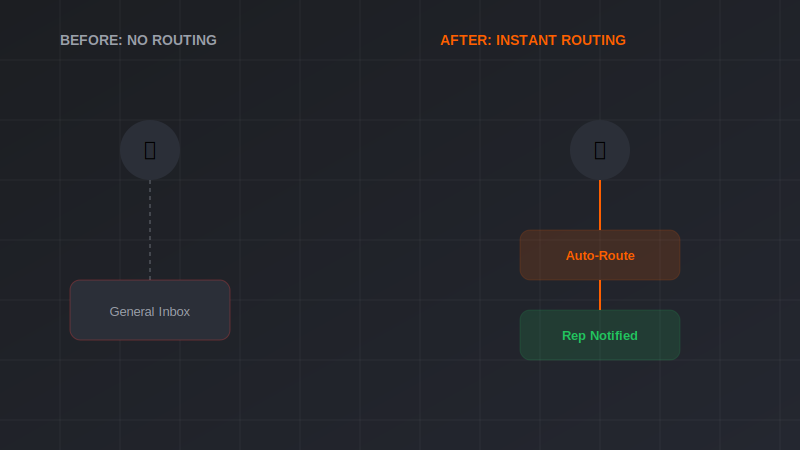
A new lead fills out a form and sits in a general inbox or unassigned queue until someone happens to check it. In roughly 70% of the accounts we audited, this was still the default, despite lead response speed being one of the most well-documented factors in conversion rate.
The fix is usually a simple routing rule: assign based on territory, product interest, or round-robin, with an instant notification to the assigned rep, not a daily digest email they might not open for hours.
Mistake 2: Manual Data Entry Between Systems
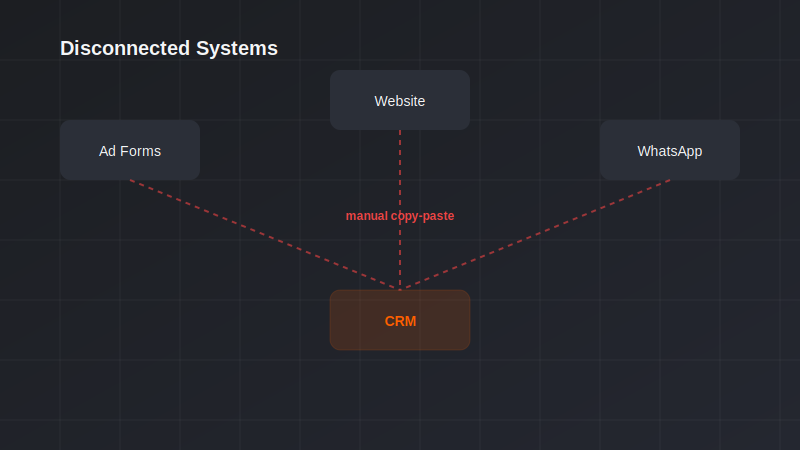
Ad platform leads exported and manually uploaded to the CRM weekly. Website form submissions copied by hand into a spreadsheet before eventually reaching the CRM. This was the single most common gap across every business we looked at, regardless of platform.
Direct integrations, or at minimum a Zapier or Make connection, eliminate this almost entirely, and usually take less time to set up than a single week of manual entry would have cost.
Mistake 3: No Follow-Up Beyond the First Touch
A lead gets one email or one call attempt, and if there’s no immediate response, they fall through the cracks with no further outreach scheduled. Most buying decisions don’t happen on the first touch, so this alone likely represents the single largest source of lost revenue we found across these audits.
An automated sequence, 4 to 6 touches over two to three weeks, mixing email and task reminders for a human follow-up call, captures leads that were never going to respond to a single attempt but would have converted with persistence.
Mistake 4: Dead Fields Nobody Fills In
CRMs accumulate custom fields over time, added for a specific campaign or initiative, then abandoned when priorities shifted. Left unchecked, most of the accounts we reviewed had 15 to 30 fields that were either empty on the vast majority of records or hadn’t been meaningfully used in over a year.
This isn’t just clutter, it actively slows down anyone entering data manually and makes reporting harder to trust, since it’s unclear which fields still matter. A quarterly field audit, archiving what’s unused, keeps the system usable.
Mistake 5: No Error Handling When Integrations Break
Automation platforms like Zapier or Make fail silently more often than most business owners realize, an API rate limit, an authentication token expiring, a field mapping that breaks after a form update. Without error notifications, these failures can run for weeks before anyone notices leads have stopped flowing through.
Every automation handling something revenue-critical, lead capture especially, should have a failure notification wired in, an email or Slack alert the moment a step errors out, not a monthly manual check that might catch it too late.
Mistake 6: Reporting That Requires Manual Compilation
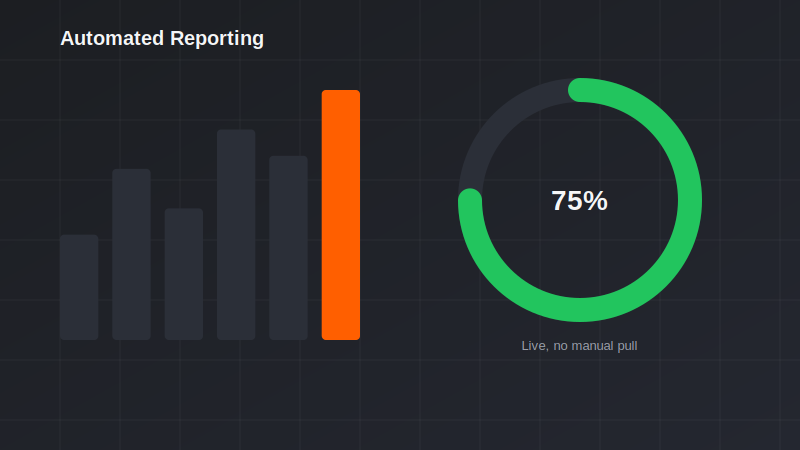
Someone spends two to four hours a month pulling numbers from the CRM into a spreadsheet to build a report. Beyond the time cost, this delay means decisions get made on data that’s already weeks old by the time anyone reviews it.
Automated dashboards, pulling live from the CRM into a tool like Looker Studio, eliminate both the time cost and the staleness, and in every account where we’ve implemented this, reporting actually started getting checked weekly instead of once a month out of obligation.
Want Your CRM Audited the Same Way?
We’ll run the same review against your setup and show you exactly which of these six gaps are costing you leads.
Book a Free Automation Audit →FAQs
Do I need to switch CRM platforms to fix these issues?
Almost never. Every one of these six mistakes is fixable within whatever CRM you’re already using, the gap is usually in the automation and integration layer around it, not the platform itself.
How long does it take to fix lead routing?
Basic instant routing rules can often be set up within a day or two, depending on how complex your assignment logic needs to be (territory-based, round-robin, product-specific, etc.).
What’s the easiest of these six to fix first?
Instant lead routing and notification setup tends to be the fastest to implement and often has the most immediate, visible impact on conversion rate.
How do I know if my automations are silently failing?
Check your automation platform’s run history for errored steps, most show a clear error log. If you haven’t checked in over a month, it’s worth a look regardless of whether you suspect a problem.
Is a quarterly field audit really necessary?
It prevents a slow accumulation of clutter that otherwise takes much longer to clean up once it’s built up over a year or more. A light quarterly pass is far less work than an annual overhaul.
Can automated reporting replace a human reviewing the numbers?
No, it removes the manual compilation work, not the analysis. The goal is getting accurate, current numbers in front of a person faster, not removing the person from the loop.
Ready to Put This Into Practice?
Book a free 30-minute audit. We’ll review what you’re running today and show you exactly where the next dollar of budget should go.
Book Free Strategy Audit →